From Linked Supplier to Active Manager of Your Network
If you are a supplier and already use KanbanBOX because one of your customers invited you to join the platform, you have already experienced a simpler, more digital way to receive orders, share information, and collaborate with that customer.
Even when limited to a single customer relationship, this has already brought you tangible benefits: orders received in real time, visibility into inventory levels at the customer site, no endless chains of emails or phone calls, order status available remotely to the customer, and communications directly linked to kanban cards, without information being scattered across different channels.
Now imagine working the same way with all your customers. How much time and mental effort could you save by eliminating different tools and management methods and centralizing everything in KanbanBOX?
To do this, you simply need to move from a linked license to an owned license. Let’s look at what changes, the benefits it provides, and how to upgrade.
Linked License vs. Owned License: What’s the Difference?
The difference is simple:
- Linked license: free of charge and allows you to use KanbanBOX only within the kanban loops created by the customer who invited you.
- Owned license: belongs to your company and allows you to create all the kanban loops you need, with both internal and external partners, as well as directly connect other customers, suppliers, and subcontractors, extending KanbanBOX across your entire network.
In other words, with a linked license you are a “passive” participant in a customer’s replenishment system. With an owned license, you can independently build and configure your own system, as well as invite other customers, suppliers, subcontractors, and partners to use it with you.
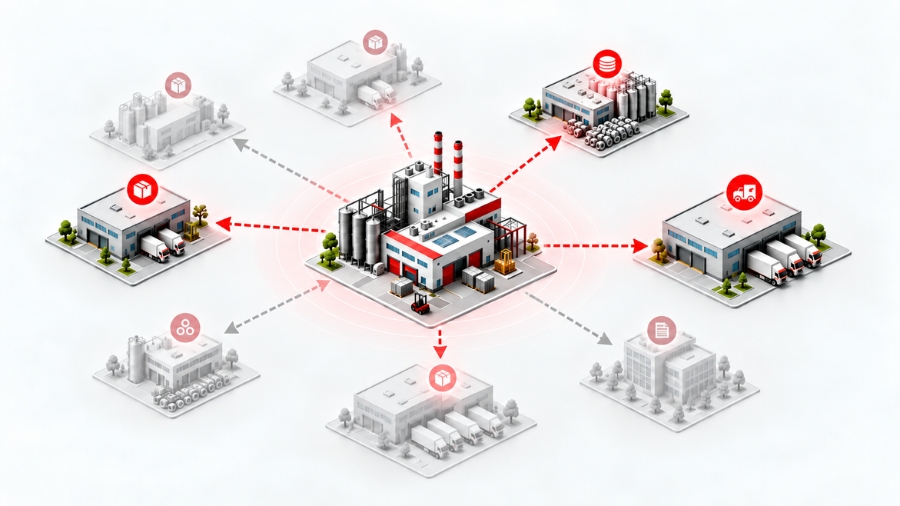
Owned License: Greater Control Over Your Flows
An important aspect to consider is that with an owned license, you have direct control over the management and configuration of your kanban loops.
You can create new loops, update their sizing when consumption or supply conditions change, perform maintenance activities, add Excess cards, and customize card templates according to your needs.
This turns KanbanBOX into a tool that is truly managed by your company and that you can independently adapt and evolve over time together with your processes and your network of customers and partners.
Linked License vs. Owned License: Comparison Table
| What you can do | Linked license | Owned license |
|---|---|---|
| View customer order/inventory status in KanbanBOX | Only for the customer who invited you | For all customers, suppliers, subcontractors, and partners you connect to the platform |
| Independently connect new customers, suppliers, or subcontractors | No | Yes |
| Modify kanban loop parameters | Only the “internal supplier” and “supplier location” parameters in loops you participate in | All parameters of the loops you own |
| Perform kanban maintenance by adding or removing cards | No, only the customer who owns the loop can do this | Yes, for all loops you own |
| Add Synchro Cards (for closed orders and multi-process orders) and Excess Cards | No | Yes |
| Change kanban card status | Only to In Process, Produced, and Shipped | Also to Released and Available |
| Standard operations: view cards, add comments and notes, create and print worklists, add material expiration dates | Only for loops you participate in | For all loops you participate in or own |
| Create new kanban loops in KanbanBOX | No, not even with the customer who invited you | Yes, with other customers, suppliers, and subcontractors, as well as for your internal processes (production and material movement) |
| Modify kanban card templates | No, not even for loops you participate in | Yes, for all loops you own |
| Access reports and statistics (consumption reports, partner statistics, kanban loop statistics, comment history, declarations, scan logs) | Only for loops you participate in, plus scan logs for scans performed within your license | For all loops you participate in or own |
What Do You Gain by Extending KanbanBOX to Your Other Customers?
Each customer may have a different way of working. One sends orders by email, another uses Excel, and another uses a proprietary portal. On top of that, there are phone calls, PDFs, order confirmations, and customer-specific procedures.
The real cost is not just the tools themselves, but the time your team spends constantly managing different ways of working.
With an owned license, you can instead use KanbanBOX as a common management method for multiple customers, whether for recurring supplies, closed orders, or hybrid flows.
One Method for Managing Multiple Customers
Your team can work through a single interface and a familiar operating method, instead of constantly switching between email, Excel, portals, and different procedures.
This means less complexity, fewer administrative tasks, less wasted time, and fewer opportunities for errors when receiving, checking, and managing orders.
Greater Visibility to Organize Supply Activities
With information about inventory levels at customer sites and updated orders available within the same platform, you can gain a clearer view of customer requirements and organize procurement, production, and deliveries accordingly.
The goal is simple: have the information you need in real time to provide your customers with the best possible supply service.
KanbanBOX as a Value-Added Service
Extending KanbanBOX to your customers not only simplifies your own company’s work, but also makes things easier for your customers.
Offering it as an order management method means giving customers a simpler, faster, and more transparent way to work with you.
Instead of phone calls, emails, and fragmented information, customers and suppliers can share orders and information through a common digital process.
KanbanBOX can therefore become part of your sales strategy: a tool that facilitates collaboration and makes it easier to do business with your company, helping strengthen customer relationships and loyalty.
What Are the Benefits for Your Customers?
When you offer customers the opportunity to manage their orders through KanbanBOX, you are giving them much more than a simple supply service.
You are offering:
- A simpler replenishment process, with fewer manual activities
- Greater visibility and traceability across supply flows
- Shared and up-to-date information between customer and supplier
- Fewer emails, phone calls, and scattered communications
- More structured collaboration, especially for recurring supplies
- A more reliable and responsive supply service, with the possibility of extending it all the way to the last mile and supporting the customer with replenishment directly at the production line
This way, you are not simply asking the customer to use new software: you are offering a simpler way to manage their orders and their relationship with your company.
From Linked Supplier to Active Player in Its Own Supply Chain: The TR Industrial Case
Among the companies that moved from a linked supplier license to an owned license is TR Industrial, an Italian company that has specialized since 1991 in the production of metal and plastic components and semi-finished products for the automotive, furniture and design, fitness, material handling, lifting equipment, and crane industries.
TR Industrial first began using KanbanBOX through one of its customers, who offered the company a free linked license to manage an existing sales relationship already configured by the partner.
After directly experiencing how the system worked and the benefits it provided, the company decided to take the next step: move to active use of KanbanBOX, progressively extending it to other customers and later to its own internal processes as well.
Today, TR Industrial’s supply system managed through KanbanBOX involves more than 300 kanban loops within a shared digital system that coordinates replenishment flows throughout the supply chain.
TR Industrial’s experience highlights a simple principle: discovering KanbanBOX through another company can be the starting point for applying the same method to your own supply chain.

View of TR Industrial, which transitioned from a KanbanBOX linked supplier license to an owned license. Photo courtesy of TR Industrial.
You’ve Already Experienced the Benefits of KanbanBOX. Now You Can Extend Them Across Your Network
If you already use a linked license, an important part of the journey is already complete: you know the platform and already understand how it works in the day-to-day relationship between customer and supplier.
With an owned license, you can take the next step and ask yourself:
How many of the other customers I currently manage through email, Excel, portals, or different procedures could I manage just as easily?
You do not need to involve all of them at once.
You can start with one customer or one flow, establish a shared working method, and then gradually extend KanbanBOX to other relationships where it can generate greater value.
How to Upgrade from a Linked License to an Owned License
Want to understand how much it could cost to extend KanbanBOX to your other customers? Fill out the form below: one of our specialists will review the flows you want to manage with you and prepare a customized quote based on your company’s actual needs.
One important point is that the cost does not depend on the number of customers or suppliers you connect: whether you manage one or one hundred, the subscription does not increase for that reason. Pricing instead depends on the number of kanban loops managed in KanbanBOX.
In addition, the subscription is monthly, so you can get started without a large upfront investment or long-term commitment. This makes it easy to test the model, gradually expand it, and quickly discontinue the service if your needs change.