Hardware for E-Kanban
What devices do you need to get started
KanbanBOX is a web-based software, which means there’s no need to install any programs on your device. All you need is a computer or a screen with Internet access and the ability to browse the web, and you can start using it right away.
The system is designed to be easy to implement and doesn’t require complex hardware. The only hardware you need is:
- Scanning devices, such as a standard barcode reader, smartphone, or handheld device
- Devices to print the cards, or, if you prefer a paperless solution, electronic labels.
Let’s explore the hardware components needed to set up an e-kanban system with KanbanBOX.
Hardware for kanbans
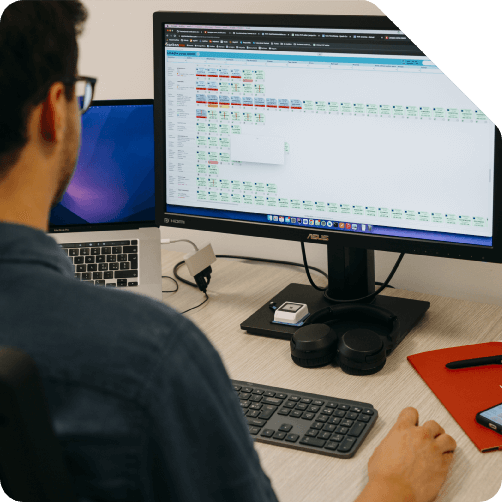
Computer with a Web Browser and Internet Connection
KanbanBOX provides a web interface through which you can manage the entire e-kanban system, set orders and priorities, view the status of all kanban cards, and access consumption data and useful statistics.
To access the web interface, all you need is a desktop computer, laptop, or screen with an internet connection and a web browser, which are essential for navigating through the software’s pages.
There are no limits to the number of users or workstations accessing the system, whether in the office or on the production floor. Each user can work simultaneously on the system, with access tailored to their authorization level.
Scanning Devices
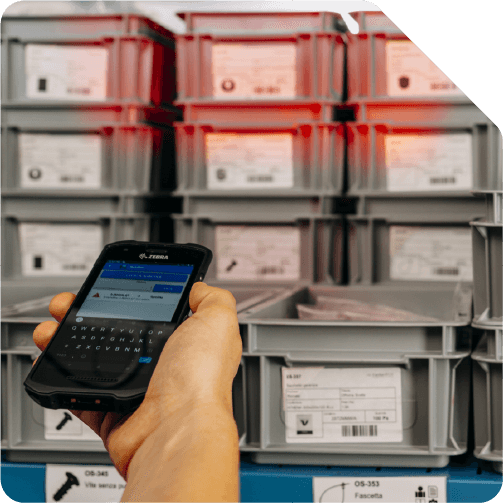
In e-kanban systems, one of the most important tasks is to quickly register when materials managed via kanban arrive in the warehouse or need to be replenished.
This is done by scanning the barcode on the kanban cards, which can be carried out using different types of readers. For examples:
- Scanner Guns or Handheld Devices, ideal for quick scanning operations
- Fixed-Mount Scanners
- Standard Smartphones with Cameras, which become excellent e-kanban scanning devices by installing the KanbanBOX app, available for both Android and iOS.
Printers Connected to KanbanBOX
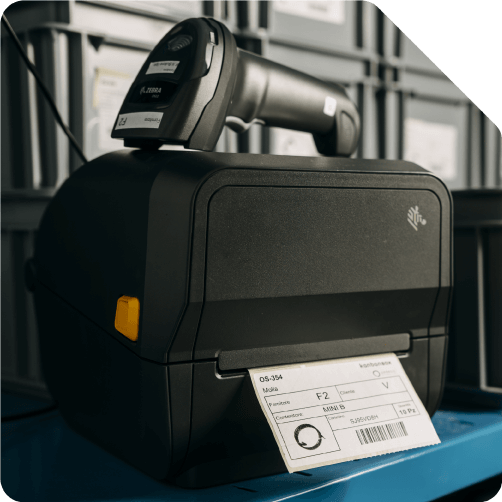
The kanban cards applied to the containers can be printed with a regular laser or inkjet printer.
However, if you need to print a large number of cards daily, it is more convenient to opt for specialized printers. For example, you can choose thermal transfer printers. These are practical and cost-effective solutions that print on removable stick-on labels with a specific size for kanban cards, ensuring maximum ease of use.
Electronic Labels for a Paperless System
For companies that prefer not to handle paper kanban cards, electronic labels can be a powerful alternative.
These electronic labels, applied to containers instead of printed ones, automatically update as the information on the platform changes, such as the card status and priority levels.
In this way, the entire kanban management process can be fully digitized, eliminating the need for paper cards.

Electronic Labels
Electronic labels offer an innovative solution for a paperless e-kanban system, reducing paper use and managing cards digitally.
Find out how this technology can simplify material management in your company.
Go to Electronic LabelsKanbanBOX App
You don’t need complex devices to scan barcodes: just a simple smartphone with a camera and the KanbanBOX app, available for Android and iOS. Discover the app’s benefits for checking a card’s status or marking it as available/unavailable.
Discover the KanbanBOX AppWearable Scanners
Instead of barcode guns, are you looking for solutions that make workers’ tasks even more ergonomic and smart? Discover the wearable and hands-free devices: wireless barcode readers worn like a glove thanks to BLE or RF technology.
Learn moreQuestions about Hardware for E-Kanban?
Our experts are ready to answer your questions
Case studies
Sacchi | Electrical Supply Distribution
Sacchi uses KanbanBOX to offer its customers a kanban-based sales service, ideal for recurring supplies and supports long-term customer loyalty
Oleodinamica Marchesini | Hydraulic valves
Oleodinamica Marchesini has optimized its production flow management by implementing multi-process kanban and pull production
Robopac | Packaging machines
With KanbanBOX, Robopac achieved a more integrated, responsive, and digitalized supply chain thanks to the integration with both external suppliers and SAP
BCS | Agricultural Mechanization
BCS moved from push to pull through E-kanban for suppliers, production, and internal flows. They now manage 6000 kanban loops across 3 plants
El.Co. | Industrial Electrical Automation
El.Co. has simplified the maintenance of kanbans with e-kanban, which was previously so onerous that the number of parts managed by kanban had to be limited
Orotig | Welding Industry
Orotig has implemented sequential pull in the company, optimizing multi-process production scheduling and supplier integration with KanbanBOX
Rossi SpA | Gearmotors and Electric Motors
Rossi Spa has digitalized the existing production and move kanban, then integrated it with its own ERP, with Oracle Sequencer and with suppliers
Aptiv | High-tech automotive systems
From the introduction of kanban to the transition to e-kanban. The Lean Improvement journey of the largest manufacturer of electronic interconnection systems for the automotive sector
References