How to Digitalize Kanban
What Digitalizing Kanban Means
Digitalizing kanban means making the management of the information that controls kanban material replenishment digital, without fundamentally changing how the physical system works.
The principle remains the same as in traditional kanban: when material is consumed, a signal is generated to trigger its replenishment. What changes is how and through which tool this signal is transmitted and tracked.
The Two Levels of Kanban Digitalization
When discussing how to digitalize kanban, it is useful to distinguish between two levels of implementation.
- The first and most common level involves digitalizing information.
- The second level involves eliminating paper kanban cards and replacing them with electronic labels.
Let’s take a closer look at what each level involves.

First Level: Digitalizing the Information Associated With Kanban Cards
The first level of digitalization requires the adoption of what is known as “electronic kanban software,” such as KanbanBOX.
Unique identification code on kanban cards
In this scenario, the containers holding materials managed through kanban continue to have a paper card containing the essential replenishment information: supplier, customer, component, quantity per container, and other operating instructions.
The difference is that the card also includes a unique code that identifies that specific material and container. This means that even containers belonging to the same kanban loop, with the same material, supplier, and customer, have different identification codes. This code is shown on the kanban card both in alphanumeric format and as a barcode or QR code.
How identification codes help track kanban card status
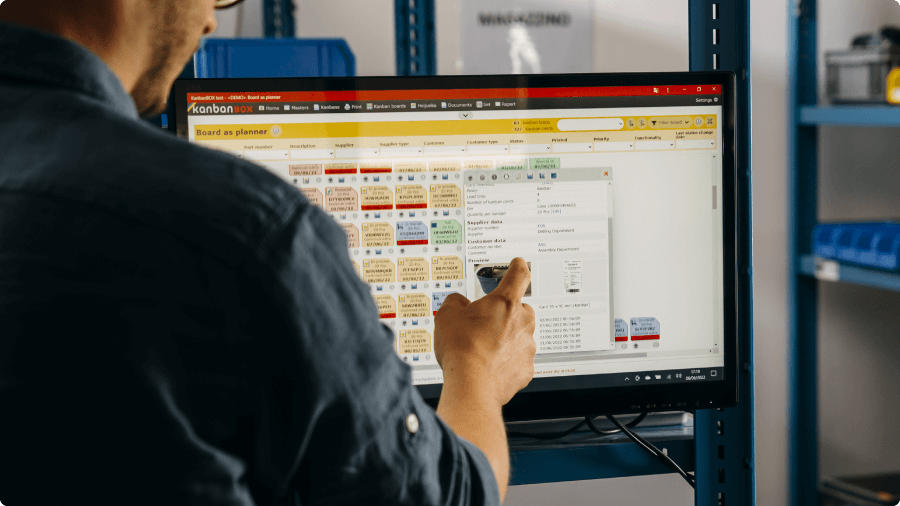
Within the electronic kanban software, each physical card has a corresponding digital kanban card, which is used to track the status of that card: available, in process, or awaiting replenishment.
The status is updated by scanning the code on the card. For example, when an operator depletes material, meaning that a container has been emptied, they scan the barcode or QR code on the kanban card using a handheld scanner, mobile computer, or smartphone. The scan records the card’s change of status and automatically updates the information in the software.
In this way, anyone viewing the system can see at any time how many kanban cards are circulating in the system for each material, how many are available, how many need to be replenished, and how many are already being processed. The kanban card remains physical, but its information management becomes digital, traceable, and updated in real time.

Benefits of Digitalizing Kanban Card Information
Digitalizing the information associated with kanban cards provides several significant benefits, including:
- Eliminating the manual collection and delivery of paper cards and, as a result, the risk of losing cards or recording delays and problems
- Transmitting the replenishment signal in real time, without waiting
- Knowing at any time which materials need to be replenished, the status of production, and the inventory levels for each component and material
- Automating the collection and analysis of data such as consumption, turnover rates, lead times, inventory levels, and more
- Tracking and quickly identifying delays, anomalies, and performance issues so that action can be taken promptly
- New integration opportunities: the system can now be integrated with other systems and technologies such as ERP systems, RFID systems (Radio-Frequency Identification), WMS platforms (Warehouse Management Systems), AGVs (Automated Guided Vehicles), and automated warehouses.
All of this takes place without changing the fundamental nature of kanban. The physical management of materials remains unchanged, and paper cards continue to perform their operational function. What changes is how the information is managed: operators no longer need to manually collect and deliver the cards. They simply scan them and discard them once the container has been emptied.
The result is a faster, more traceable, and more reliable system that provides tangible benefits to the company without radically changing operators’ habits or adding complexity to their daily work.
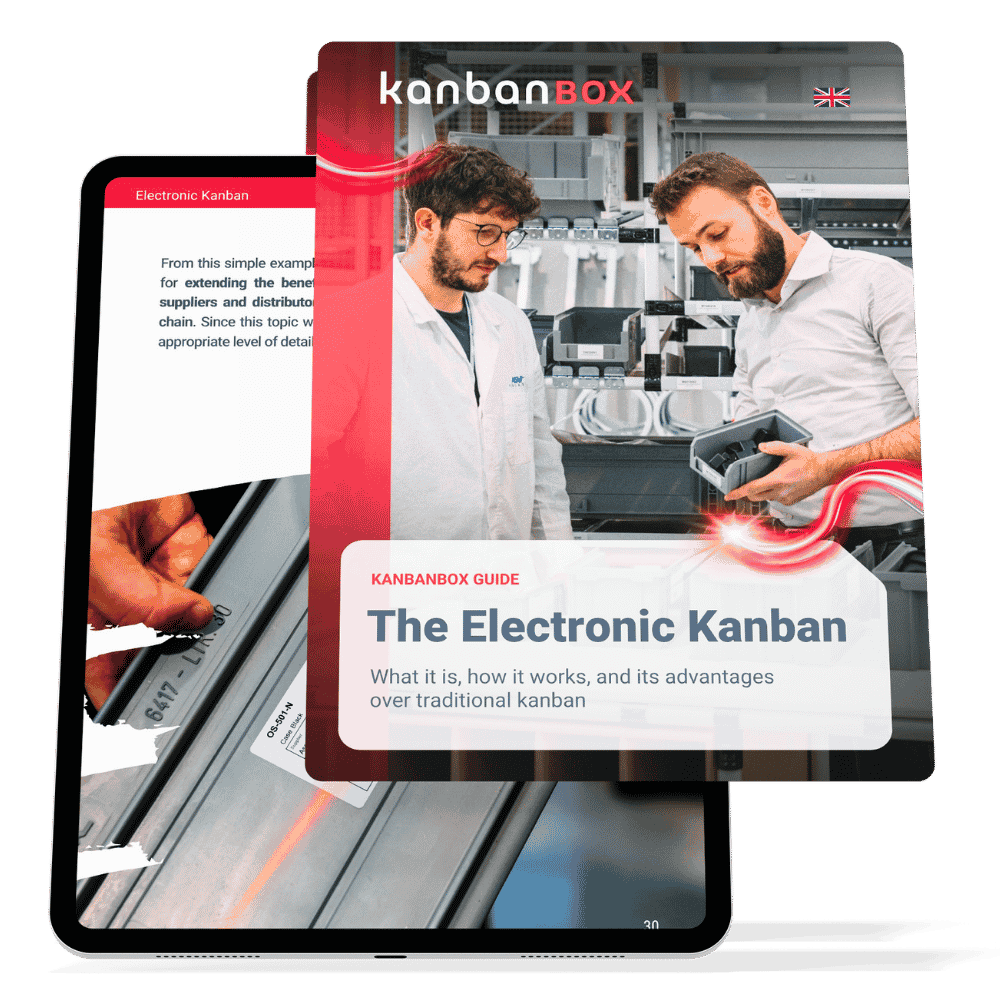
Free Guide "What is Electronic Kanban?"
Discover more in our free Guide “The Electronic Kanban”, also known as digital or digitalized kanban.
Second Level: Eliminating Paper Kanban Cards
The second level of digitalization is more advanced and involves not only digitalizing information but also replacing paper kanban cards with electronic labels.
What Are the Electronic Labels Used to Digitalize Kanban?
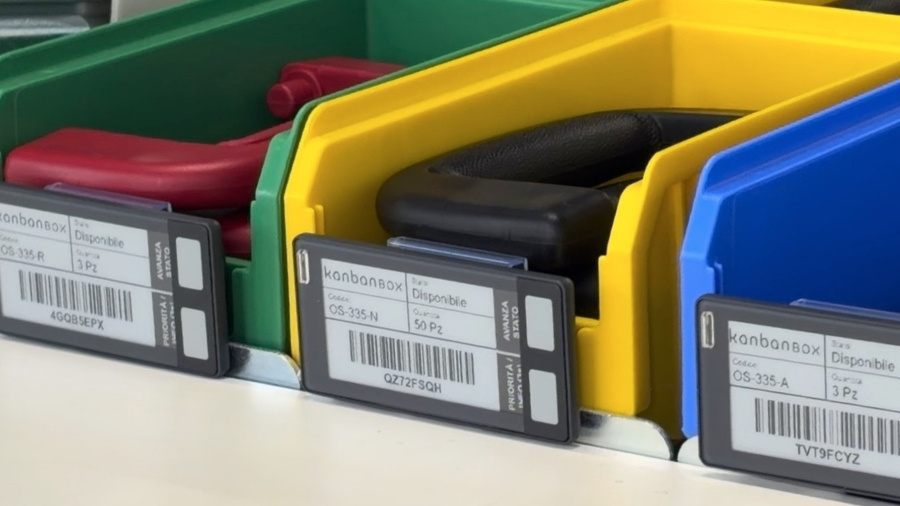
Electronic labels are small digital displays attached to kanban containers in place of traditional paper cards. These devices display the data normally shown on a kanban card, such as the part number, description, quantity, card status, and more. The following are their main features.
Information Updated in Real Time
The main difference compared with a paper card is that the electronic label is directly connected to the electronic kanban software. When data is changed through the software interface, such as quantity, location, supplier, or priority level, the information is automatically updated on the label, without the need to reprint and replace the card.
Buttons for Customized Actions, Such as Status Updates
In addition to a display, some electronic label models have configurable physical buttons that can be used to perform specific actions. The most common use is changing the status: when an operator needs to indicate that a container has been consumed, they no longer need a handheld scanner, mobile computer, or smartphone. They simply press the dedicated button on the label.
Indicator Lights for Operational Notifications
Many electronic label models also have an indicator light that can flash in one or more colors. This feature can be used to guide the operator to the container from which material should be picked or to indicate urgent requests, anomalies, or other operating instructions directly at the point of use.
Integration With Other Systems
Electronic labels can be integrated with other technologies, such as RFID systems (Radio-Frequency Identification), RTLS platforms (Real-Time Locating Systems), or Pick-to-Light systems. In this way, they can become part of a broader system for traceability, location tracking, and operational support for picking and replenishment activities.
Benefits of Digital Kanban With Electronic Labels
In addition to the benefits associated with digitalizing information, electronic labels make kanban system management more dynamic and reduce manual activities. More specifically, the benefits of integrating electronic labels with digital kanban include:
- Eliminating paper and paper card management: electronic labels make the system paperless, removing the need to print and reprint paper cards
- Updating the information displayed on electronic labels in real time, keeping it continuously aligned with the data in the software
- Eliminating the need for scanning devices when changing a status: operators simply press a button to indicate that replenishment is required
- Customizing the actions that can be performed using buttons and indicator lights
- Integrating with Industry 4.0 technologies to create a system with very high levels of traceability, location tracking, and operational support
The result is an even more responsive, organized, and easy-to-maintain kanban system.
Digitalizing Kanban to Improve Efficiency, Visibility, and Traceability
Digitalizing kanban means making the management of the information that keeps the system operating more effective. While the physical management of materials remains almost unchanged, consumption signals, replenishment requests, card statuses, and operating data become more visible, traceable, and easier to analyze.
Digitalization can take place gradually: first through electronic kanban software while retaining paper cards, and then, if appropriate, by introducing electronic labels for the part numbers or areas where they generate the greatest value. In both cases, the goal is not to change the logic of kanban but to strengthen it.
The result is a more responsive, organized, and manageable system that provides better support to operators, managers, and suppliers without sacrificing the simplicity and immediacy that make kanban such an effective material management tool.
Would You Like to Learn More About These Topics?
- To better understand how electronic kanban works, visit this page or download our free guide.
- To learn more about electronic labels, read this dedicated article.
Ready to digitalize your kanba system?
We're here to help
Case studies
Sacchi | Electrical Supply Distribution
Sacchi uses KanbanBOX to offer its customers a kanban-based sales service, ideal for recurring supplies and supports long-term customer loyalty
Oleodinamica Marchesini | Hydraulic valves
Oleodinamica Marchesini has optimized its production flow management by implementing multi-process kanban and pull production
Robopac | Packaging machines
With KanbanBOX, Robopac achieved a more integrated, responsive, and digitalized supply chain thanks to the integration with both external suppliers and SAP
BCS | Agricultural Mechanization
BCS moved from push to pull through E-kanban for suppliers, production, and internal flows. They now manage 6000 kanban loops across 3 plants
El.Co. | Industrial Electrical Automation
El.Co. has simplified the maintenance of kanbans with e-kanban, which was previously so onerous that the number of parts managed by kanban had to be limited
Orotig | Welding Industry
Orotig has implemented sequential pull in the company, optimizing multi-process production scheduling and supplier integration with KanbanBOX
Rossi SpA | Gearmotors and Electric Motors
Rossi Spa has digitalized the existing production and move kanban, then integrated it with its own ERP, with Oracle Sequencer and with suppliers
Aptiv | High-tech automotive systems
From the introduction of kanban to the transition to e-kanban. The Lean Improvement journey of the largest manufacturer of electronic interconnection systems for the automotive sector
References