How to Sequence Kanban Production? Here Are 4 Criteria
In short: the order in which kanban cards should be produced depends on three factors: how much a setup change costs, how much delivery dates matter, and how repetitive the product mix is. If setups are negligible, FIFO is the best choice. If due dates vary, it makes sense to sequence production by date. If setups are expensive, you need a product wheel, possibly with EPEI logic to make sure every item is produced in every cycle.
Why isn’t kanban enough to decide the production sequence?
A kanban system tells you what to produce and how much, but not in what order. Each card is a consumption signal: when it reaches production, it means that material needs to be replenished. If cards arrive one at a time, the question of how to sequence production never comes up.
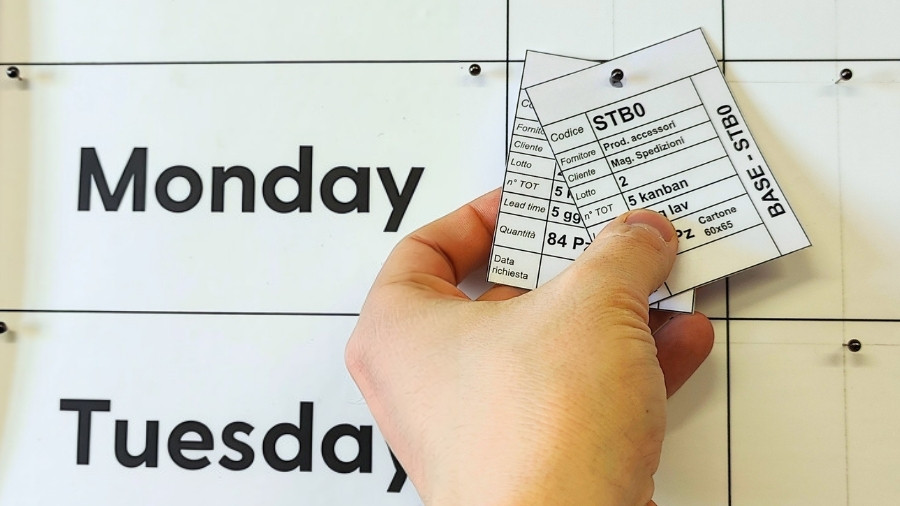
The problem arises when many cards pile up on the same resource. Monday morning, one press, twelve cards in the queue for six different part numbers. Where do you start?
In many companies, the production sequence is decided by the shift supervisor, based on common sense and experience. But common sense varies from person to person and from shift to shift. The consequences are:
- Avoidable setups, because you jump from one part number to another with no logic
- Delays on urgent orders that end up at the back of the queue
- Forgotten part numbers, usually low-volume ones, that fall behind until they hit a stockout.
In an efficient company, the production sequence shouldn’t be a spur-of-the-moment decision, but a clear rule that everyone knows and that is always applied the same way.
What should you ask yourself before choosing a criterion to sequence production orders?
There’s no single right sequencing method: there’s the right one for your resource. Three questions are all it takes to figure it out.
- How much does a setup change cost? If switching from one part number to another requires lengthy tooling changes, cleaning, or adjustments, the sequence has a big impact on efficiency. If the changeover is almost instant, it has little impact.
- Do the cards have different due dates? If some materials are needed tomorrow and others next week, the date becomes the main criterion.
- Is the product mix recurring? If the same part numbers always run on the resource, you can build a fixed cycle and repeat it. If the mix keeps changing, a fixed cycle isn’t much use.
What are the criteria for sequencing kanban card production?
There are four commonly used criteria. Each one fits a different situation.
1. FIFO: first in, first produced
FIFO (First In, First Out) produces cards in the exact order in which they arrive. It doesn’t look at the requested date or the type of setup: whatever has been in the queue the longest goes first.
When to use it: when setups are negligible and there are no special deadlines. It’s the criterion that keeps the system simple: the length of the queue tells you right away how long it will take to get to the end.
2. By date: closest due date first
Sequencing by date produces the cards with the closest requested date first. A card needed tomorrow jumps ahead of one needed next week, even if it arrived later.
When to use it: when delivery dates vary and meeting them is the priority.
3. Product wheel: a fixed cycle to reduce setups
The Product Wheel sequences cards following a product cycle that never changes, for example A → B → C → D. The cycle is built around the most cost-effective setup sequence, so similar part numbers are processed one after the other.
Think of it as a day when you print the light color first and then the dark one: reversing the order would mean cleaning the machine every time.
When to use it: when setup changes are very long or expensive, or when resources and part numbers are recurring.
4. Product wheel with EPEI: reduce setups without forgetting any part number
The product wheel with EPEI (Every Part Every Interval) adds a limit for each part number and for the whole wheel to the fixed cycle. The goal is to make sure every item is produced at least once within a defined interval.
The simple product wheel has a weak spot: if demand for one part number grows, its group gets longer with no limit and the others slip to the back. With EPEI, when a part number’s slot is full, the extra cards move to the next cycle. No part number takes over the whole resource.
When to use it: when setups are expensive, the mix is recurring but demand varies, and you need a predictable production pace.
How do you choose the right criterion?
Here’s a summary table to help you choose the right sequencing criterion for kanban card production.
| Production sequencing criterion | Setup cost | Different due dates | Recurring mix | Main goal |
|---|---|---|---|---|
| FIFO | Low | No | Not relevant | Simple flow and predictable lead time |
| By date | Low or medium | Yes | Not relevant | Meet delivery dates |
| Product wheel | High | No | Yes, stable demand | Reduce the number of setups |
| Product wheel with EPEI | High | No | Yes, variable demand | Reduce setups and produce every part number in every cycle |
Tip: when in doubt, start with FIFO logic and move to a more structured criterion only when setups or due dates call for it.
The criterion should be chosen for each individual resource: a press and an assembly line in the same plant can follow different rules.
How can you automate the production sequence?
So far, you’ve seen how to choose the right criterion for each resource. But knowing which rule to follow to sequence production isn’t enough: you also have to apply it, every day. Every time a new card arrives, you’d have to check dates, part numbers, setup cycles, and per-item limits, on every resource and every shift. With a few dozen cards in the queue, it becomes a long, error-prone job, and that’s how you end up going back to deciding “by eye.”
The next step is to stop recalculating the sequence every time a new card arrives and automate how the chosen rule is applied. To do this, you need software that knows in real time which cards are in the queue, for which part number, and with what requested date. That’s where KanbanBOX comes in: Electronic Kanban (or Digital Kanban) software that automatically updates the production sequence.
How can you automate the production sequence with KanbanBOX?
KanbanBOX is cloud-based software for managing kanban (also known as Electronic Kanban or Digital Kanban), both in production and with suppliers.
In practice, KanbanBOX creates a digital copy of your kanban cards, which you can view in the software interface, while the paper card stays on the container, where operators see it and use it as they always have.
Its digital copy, on the other hand, allows the software to monitor card status in real time.
This way, KanbanBOX always knows all the cards in the queue on each resource and can sequence them automatically according to the chosen sequencing rule, with no manual intervention, thanks to the Sequencer.
What is the KanbanBOX Sequencer and how does it simplify production planning?
The Sequencer is the KanbanBOX module that sequences kanban cards in each resource’s queue. You choose the sequencing criterion from FIFO, By date, Product wheel, and Product wheel with EPEI, and the Sequencer applies it automatically every time a card enters the sequence.
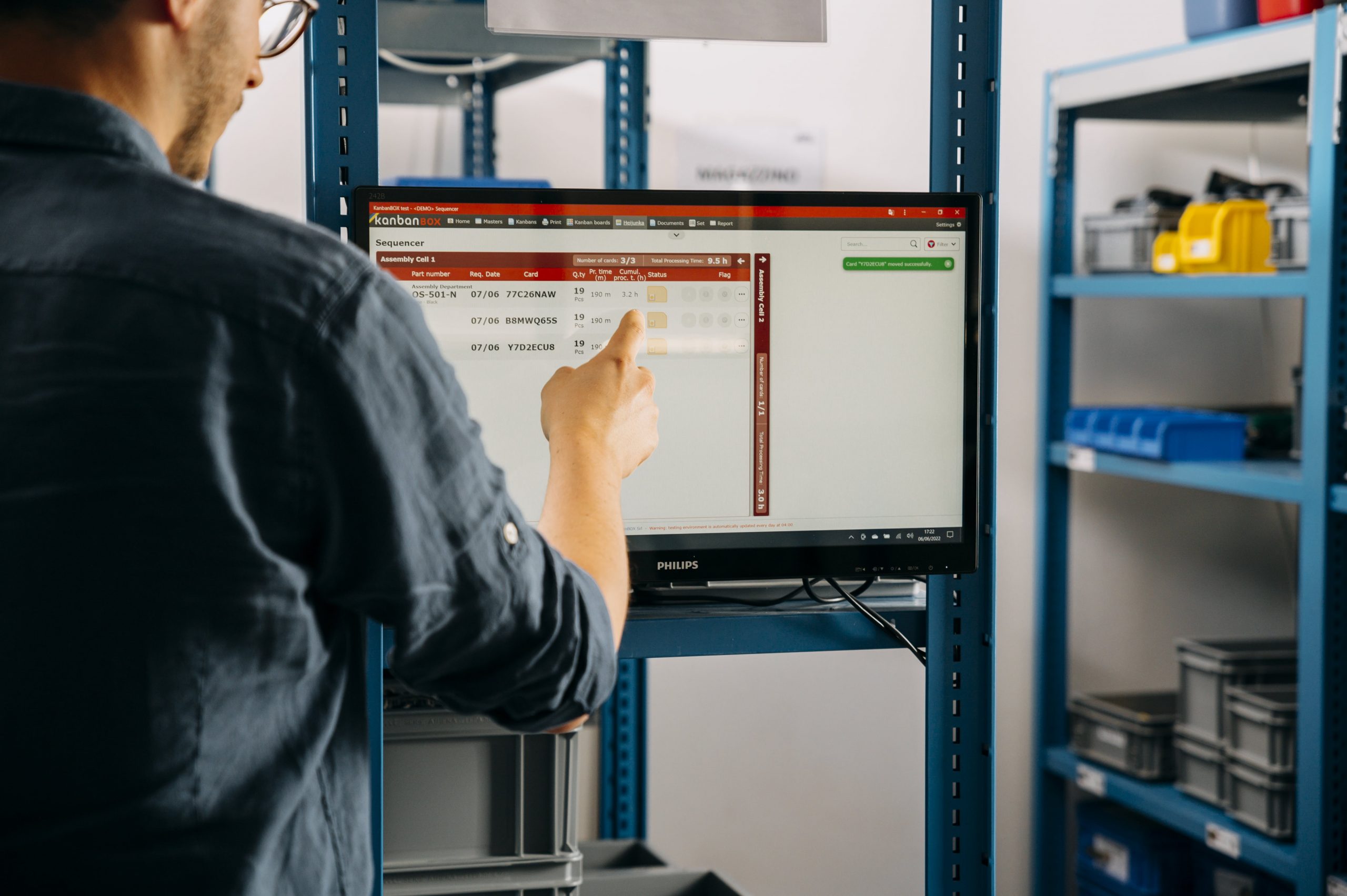
In practice, the Sequencer lets you:
- Automate production sequencing. You set the criterion in the resource configuration, and from then on it’s always applied the same way, on every shift.
- Stop recalculating the sequence when new orders come in. Each new card is placed in the right spot, according to the rule you chose.
- Handle urgent requests with one click. If you need to move a card up, simply move it to the top of the sequence with one click, without recalculating anything and without complex procedures.
The result: you find the production queue already in order and can spend your time on real exceptions, not on calculating the sequence.
Want to see how the KanbanBOX Sequencer can help you manage production priorities?
Contact us for a free demo!
Frequently Asked Questions
There’s no one-size-fits-all answer. FIFO is the recommended starting point because it’s the simplest and most predictable. The other criteria are useful when due dates (by date) or setup costs (product wheel) matter.
EPEI stands for Every Part Every Interval: it indicates the interval within which every item is produced at least once. The shorter the interval, the more responsive production is and the less stock you need.
The product wheel follows a fixed cycle of part numbers to reduce setups. The EPEI version adds a limit for each part number and for the whole wheel, so a demand spike for one item doesn’t block the others.
Yes. In KanbanBOX, manual reordering is respected, and the Sequencer keeps applying the chosen criterion to the cards that arrive afterward.
Yes. The criterion is set for each resource, so each department can follow the rule that best fits its constraints.
Yes, with the KanbanBOX Sequencer you can automate the sequencing of kanban cards based on the sequencing rule you choose. The software knows in real time which cards are in the queue on each resource and automatically updates the production sequence when new requests come in, with no need to recalculate priorities manually.
No, the KanbanBOX Sequencer doesn’t just sequence kanban cards: it also lets you manage traditional production orders (closed orders), seasonal orders, and other order types. This way, you can organize and prioritize all production activities on the same resource, even when they follow different management logics, and get a single, up-to-date, coordinated production sequence.
Learn more about how the Sequencer helps you schedule and balance production in our dedicated article
Do you have a question?
Our process experts are here to help
Case studies
Sacchi | Electrical Supply Distribution
Sacchi uses KanbanBOX to offer its customers a kanban-based sales service, ideal for recurring supplies and supports long-term customer loyalty
Oleodinamica Marchesini | Hydraulic valves
Oleodinamica Marchesini has optimized its production flow management by implementing multi-process kanban and pull production
Robopac | Packaging machines
With KanbanBOX, Robopac achieved a more integrated, responsive, and digitalized supply chain thanks to the integration with both external suppliers and SAP
BCS | Agricultural Mechanization
BCS moved from push to pull through E-kanban for suppliers, production, and internal flows. They now manage 6000 kanban loops across 3 plants
El.Co. | Industrial Electrical Automation
El.Co. has simplified the maintenance of kanbans with e-kanban, which was previously so onerous that the number of parts managed by kanban had to be limited
Orotig | Welding Industry
Orotig has implemented sequential pull in the company, optimizing multi-process production scheduling and supplier integration with KanbanBOX
Rossi SpA | Gearmotors and Electric Motors
Rossi Spa has digitalized the existing production and move kanban, then integrated it with its own ERP, with Oracle Sequencer and with suppliers
Aptiv | High-tech automotive systems
From the introduction of kanban to the transition to e-kanban. The Lean Improvement journey of the largest manufacturer of electronic interconnection systems for the automotive sector
References