How Ekanban Works?
A Smarter Way to Manage Materials with Digital Kanban
If you’re asking how ekanban works, you’re probably looking for a better way to manage your inventory and replenishment process. Electronic kanban (also called e-kanban or ekanban) is a digital upgrade to the traditional kanban system that combines the power of barcodes, automation, and real-time communication.
Rather than replacing physical kanban cards, electronic kanban enhances them. The result: faster, more reliable material handling without giving up the visual benefits of a pull system.
How ekanban works: the process
Paper Kanban Cards with Unique Barcodes
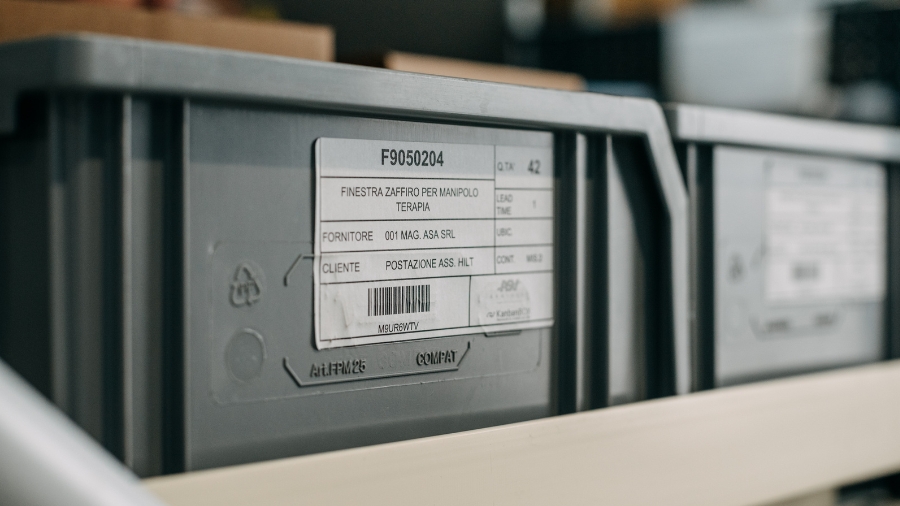
To explain how ekanban works, it’s important to first clarify that in this system, as in the traditional one, each container is still equipped with a physical kanban card.
The main difference is that the kanban card now includes a unique barcode. This means that two kanban containers holding the same type of item will have identical cards, except for the barcode, which represents a unique ID code.
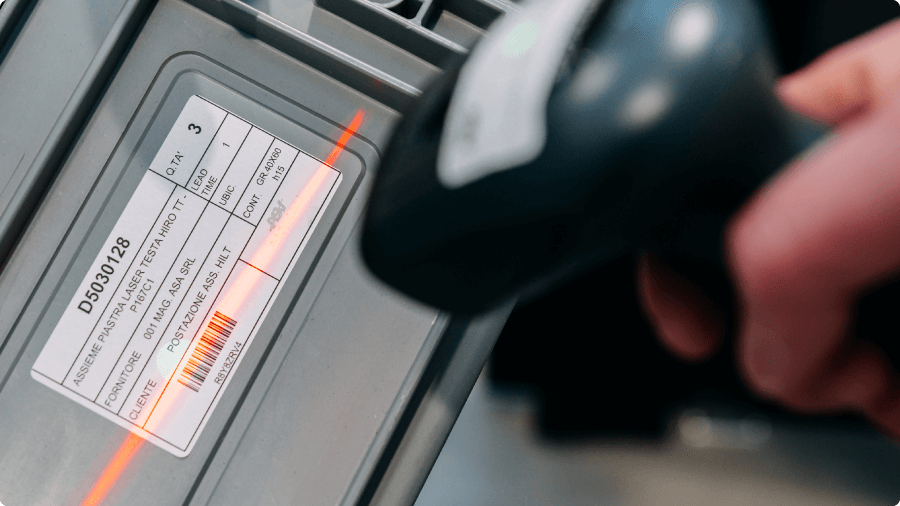
Scanning Kanban Cards to Send the Replenishment Signal
Operators, equipped with scanning devices (such as handheld scanners, smartphones with scanning capabilities, tablets, or other mobile tools), scan the barcode as soon as the container is emptied or the materials inside are depleted.
This eliminates the need for operators to manually collect kanban cards or carry them to collection points, avoiding non-value-added movements and reducing the risk of lost or damaged cards.
Real-Time Transmission to the Shared Digital Board
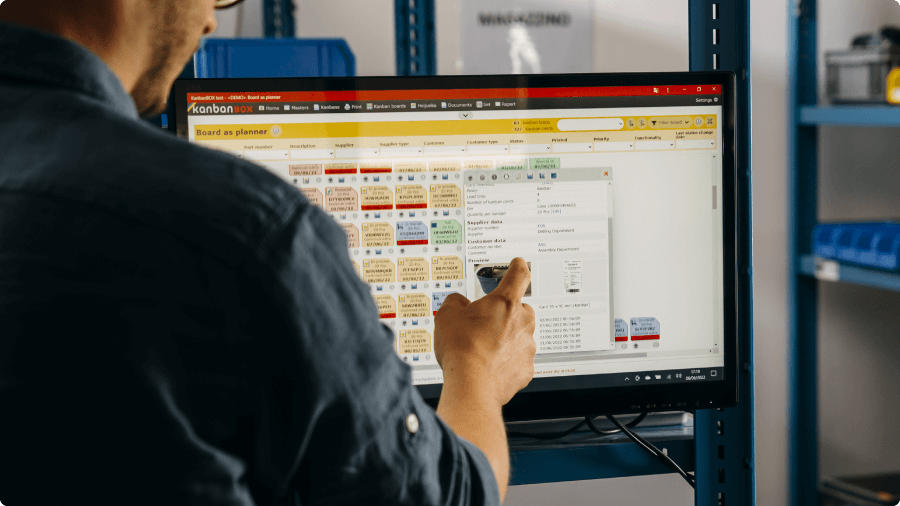
When operators scan the barcode, the system immediately transmits the replenishment signal via the Internet to the appropriate supplier, whether internal or external.
The supplier views the request for replenishment through a digital board within the electronic kanban software (such as KanbanBOX), where they can check the new requests along with all the necessary details (e.g., material or component code, quantity, container type, etc.).
Replenishment: Printing the New Card and Delivering the Material
Once the material is ready, the supplier attaches a new kanban card to the container. This card is automatically generated by the software at the moment the replenishment request is received.
The card, easily printable with a single click, in label format, and including a new barcode, is applied directly to the container, which is then ready to be reintroduced into the production cycle.
Electronic Labels for a Paperless Kanban System
By adopting electronic labels on the containers instead of paper cards, you can implement a fully digitized electronic kanban system, eliminating the need for paper kanban cards.
Digitalization of Information
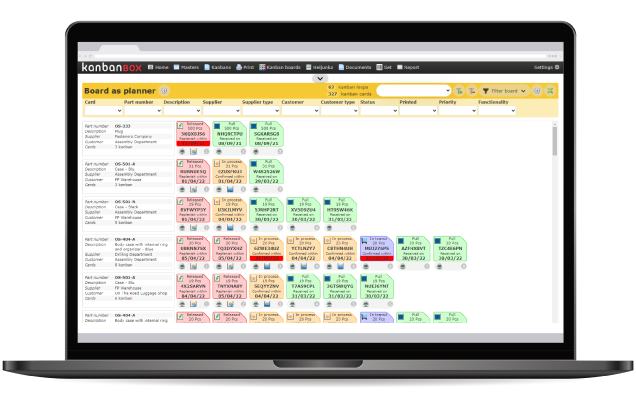
The Digital Board for Full Kanban Card Management
Now that you know how ekanban works, it’s crucial to understand that every kanban card exists in two forms:
- A physical version, attached to the container
- A digital version, visible on the electronic board within KanbanBOX
This digital board provides a complete, real-time overview of the status of every single card: whether it is active, pending, in transit, or already replenished.
The user can monitor every stage of the process with precision, make fast and targeted interventions, and take advantage of advanced analysis tools made possible by automated data collection and full digital process tracking.
Download the Electronic Kanban Guide
Want to fully understand how does electronic kanban works?
Download our Free Guide to explore each stage of the replenishment process, explained clearly and visually, step by step.
You’ll find a side-by-side comparison of traditional and digital kanban management, so you can quickly grasp the real-world benefits of switching to electronic kanban.
The guide is available for free at this page.

Why choose ekanban
Ekanban stands out as a smart choice for businesses aiming to make their processes leaner, faster, and more connected. Let’s explore the key reasons why manufacturers are choosing ekanban.
Discover whySimplify Kanban Card Printing
Tired of scattered Excel files and manual printing? With KanbanBOX, kanban cards are automatically generated, accessible in real time, and printable with one click.
Print ekanban cardsERP Integration
KanbanBOX integrates easily with your ERP system, optimizing the flow of data between departments and administration, while enhancing the management of supplies and daily operations
Find out moreDo you have any questions?
Case studies
Sacchi | Electrical Supply Distribution
Sacchi uses KanbanBOX to offer its customers a kanban-based sales service, ideal for recurring supplies and supports long-term customer loyalty
Oleodinamica Marchesini | Hydraulic valves
Oleodinamica Marchesini has optimized its production flow management by implementing multi-process kanban and pull production
Robopac | Packaging machines
With KanbanBOX, Robopac achieved a more integrated, responsive, and digitalized supply chain thanks to the integration with both external suppliers and SAP
BCS | Agricultural Mechanization
BCS moved from push to pull through E-kanban for suppliers, production, and internal flows. They now manage 6000 kanban loops across 3 plants
El.Co. | Industrial Electrical Automation
El.Co. has simplified the maintenance of kanbans with e-kanban, which was previously so onerous that the number of parts managed by kanban had to be limited
Orotig | Welding Industry
Orotig has implemented sequential pull in the company, optimizing multi-process production scheduling and supplier integration with KanbanBOX
Rossi SpA | Gearmotors and Electric Motors
Rossi Spa has digitalized the existing production and move kanban, then integrated it with its own ERP, with Oracle Sequencer and with suppliers
Aptiv | High-tech automotive systems
From the introduction of kanban to the transition to e-kanban. The Lean Improvement journey of the largest manufacturer of electronic interconnection systems for the automotive sector
References